Your Content Is Ready.
Now It's Time to Get It Out There.
TRESSO helps you turn videos into a consistent posting rhythm without juggling folders, reminders, and platform tabs.
No charge today. Cancel anytime.
Why Content Creators Use TRESSO
Most content creators don't struggle with creating content. They struggle with consistently posting it.
Consistency is the real problem.
TRESSO helps content creators turn finished videos into a repeatable posting workflow — so content doesn't sit, schedules don't drift, and setup doesn't have to be rebuilt every time.
Less manual setup. More consistent posting.
Take back your posting time
Schedule finished videos ahead instead of having to remember to post every day.
Keep every video organized
See what is upcoming, posted, missed, or needs attention in one clean queue.
Build a steady rhythm
Reuse schedules, defaults, and hashtags so posting stays consistent.
See TRESSO in action
From connecting a platform to tracking a posted video — the whole workflow, one step at a time.


Connect your platform
Connect your accounts securely from one desktop workspace.
Built for Trust. Designed for Ease.
Your videos stay organized on your desktop, and your posting workflow stays simple.
Built for Trust
Videos stay local
Your video files stay on your computer until you post.
Official platform connections
Connect your accounts securely from one desktop workspace.
Private desktop workflow
TRESSO helps organize posting from your desktop without turning your video library into a cloud storage system.
Designed for Ease
Simple scheduling workflow
Queue videos, choose posting times, and manage your schedule from one desktop app.
Saved caption endings
Reuse the sign-offs, links, and endings you use most.
Platform presets
Save your usual posting setup and apply it faster next time.
Bulk scheduling rhythm
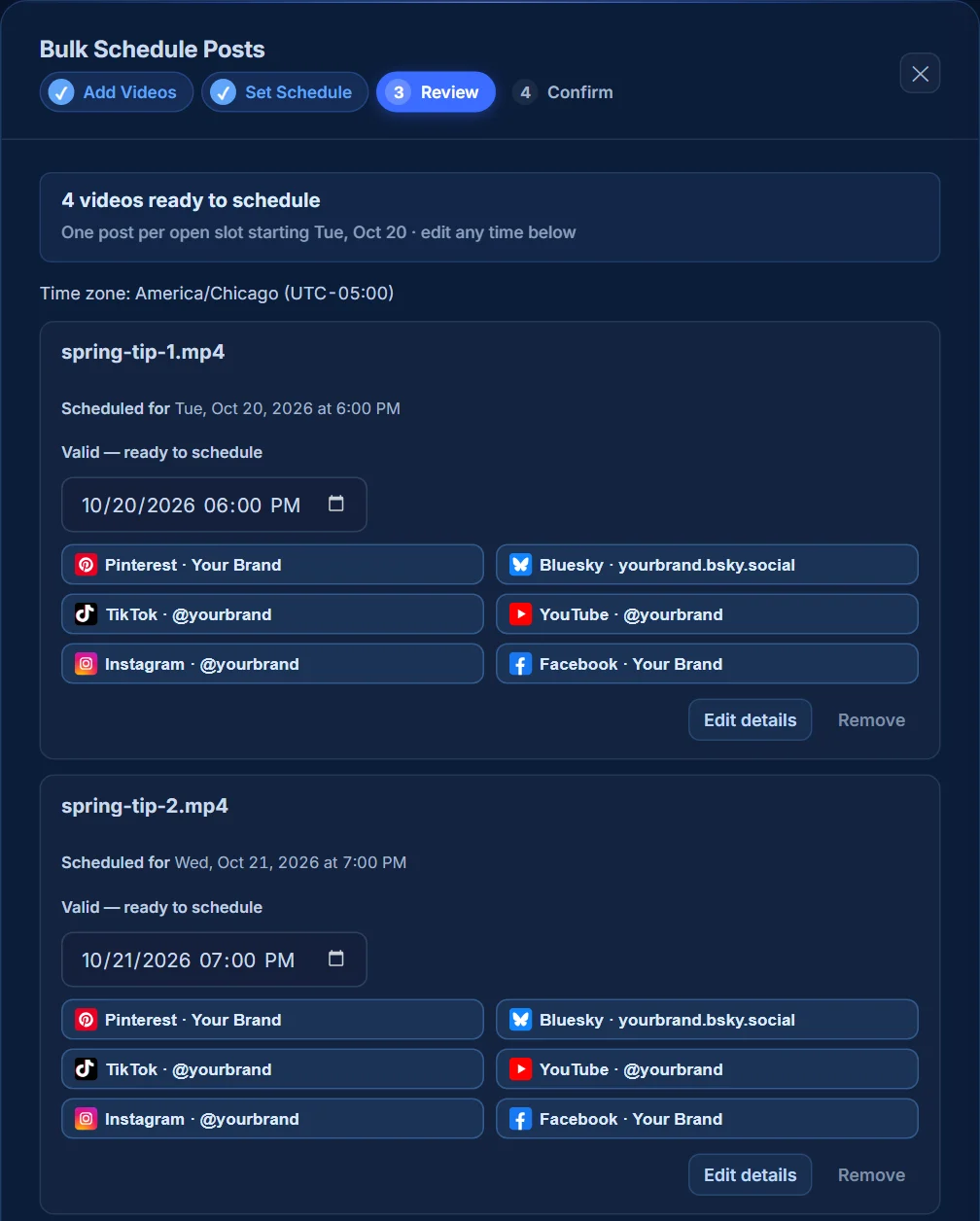
Line up several videos and space them out across your posting schedule. Create a batch in Canva, download the finished MP4s, then use TRESSO’s Bulk Schedule to choose destinations, review captions, and schedule the batch.
Archive Vault
Every post you publish is saved automatically — caption, hashtags, platforms, posting result, live links, campaign, category, and reusable post details — so you always have the record and can reuse it later.
Create in batches. Post consistently.
Make your videos in Canva, then turn those finished files into scheduled posts with TRESSO.
-
1
Create in Canva
Make a batch using your template and content.
-
2
Download your videos
Save each finished video as a separate MP4.
-
3
Schedule with TRESSO
Add the batch, review your posts, and choose when they publish.
Make time for creating. Spend less time repeating the posting work.
Simple Pricing
Two plans, monthly or yearly. Everything included in both.
- Publish to Pinterest, Bluesky, TikTok, YouTube, Facebook Pages, and Instagram professional accounts.
- Posting queue
- Published history and views
- Archive Vault for published post records
- Local video library
Are you ready to turn videos into posted videos?
Start your free trial and build your first posting queue in minutes.